

ChatGPT connector
Synthesia is listed in the ChatGPT marketplace, so you don’t need Developer Mode. Make sure you meet the prerequisites first.
Connect a personal account
-
Open ChatGPT and select
Pluginsin the sidebar. Depending on your account, you may find it underSettings→Appsinstead. -
Search for Synthesia and select the
+button next to it (orInstall pluginorConnect, depending on your account).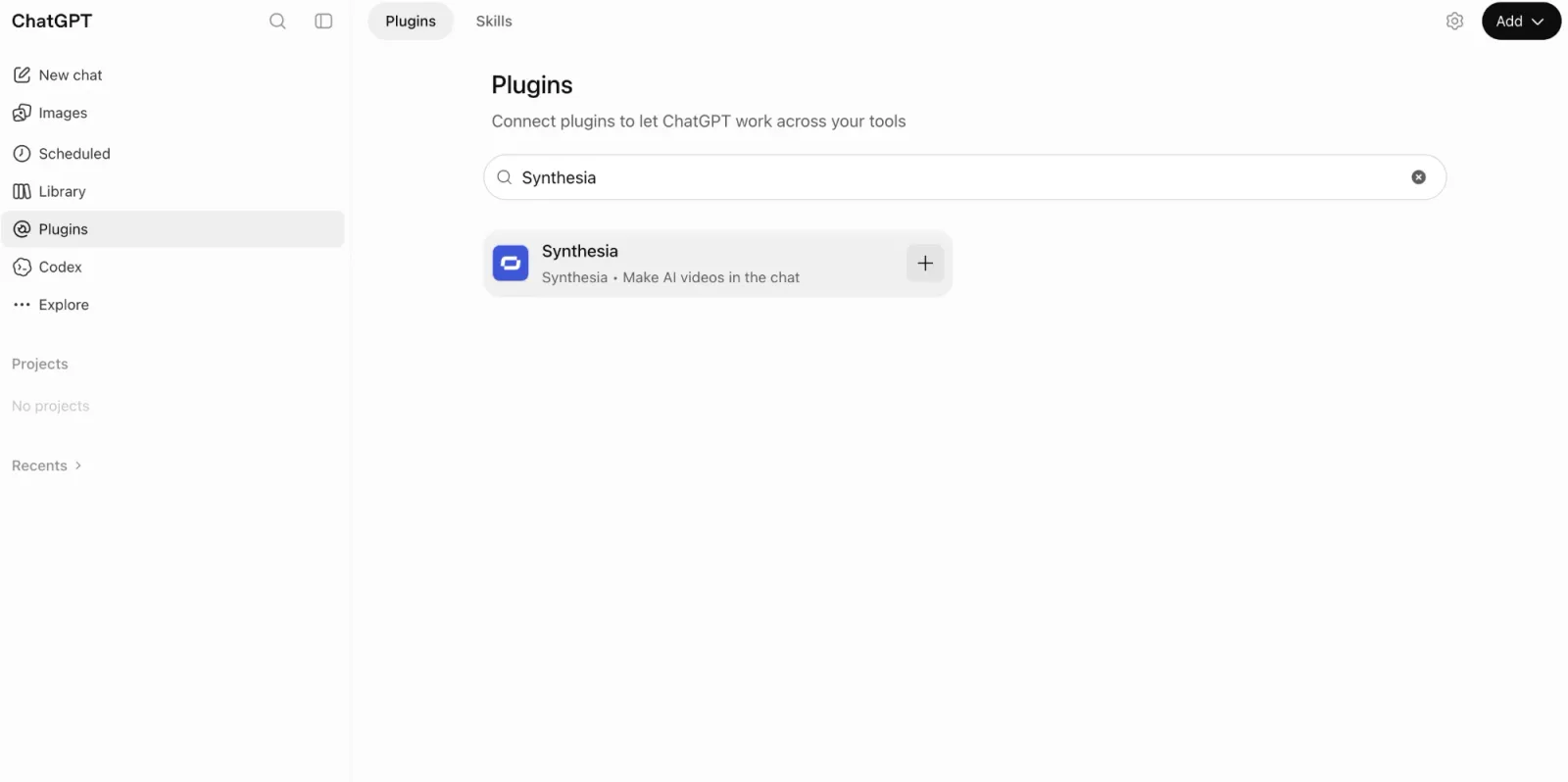
-
Sign in to your Synthesia account, review the requested permissions, and select
Allow access.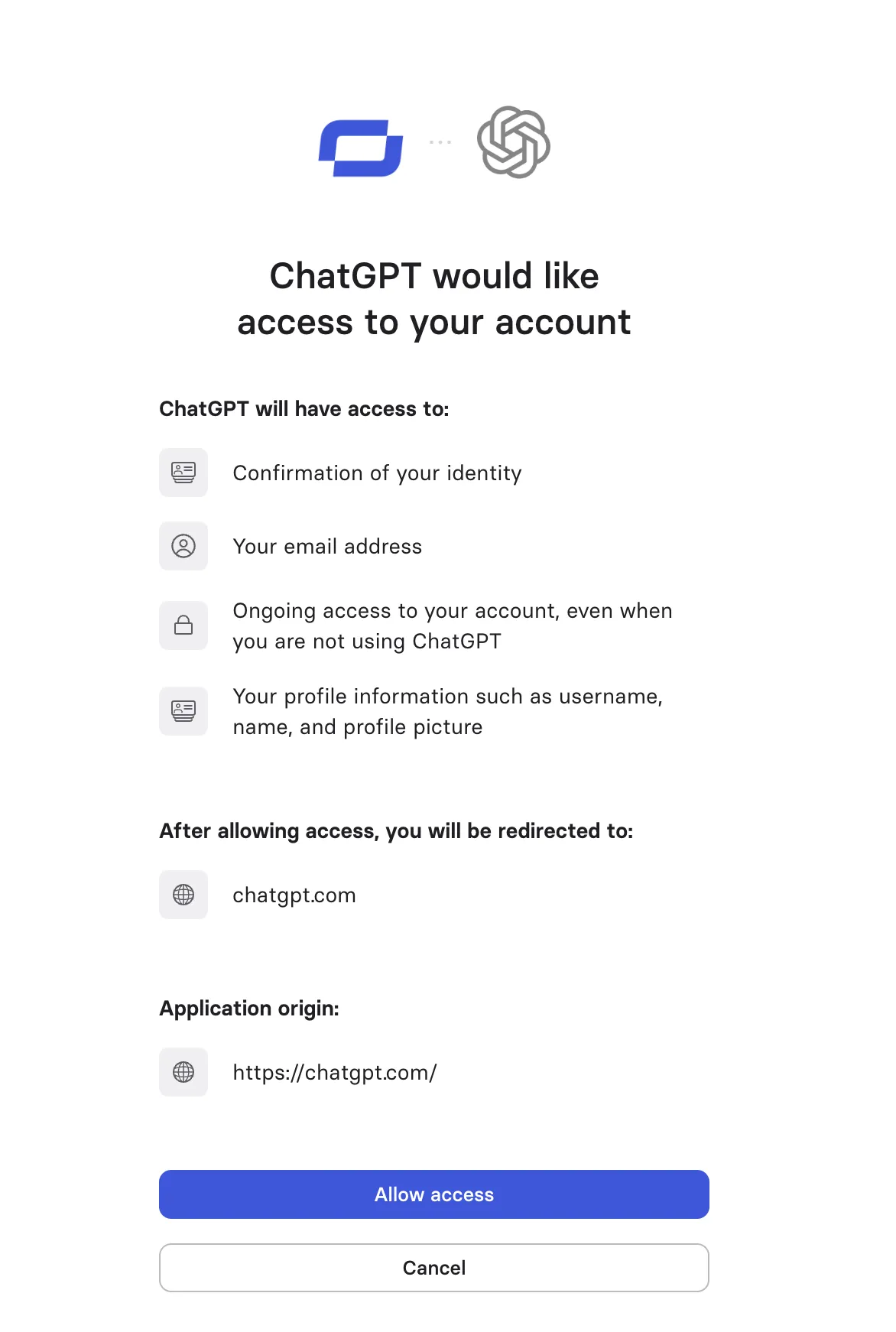
-
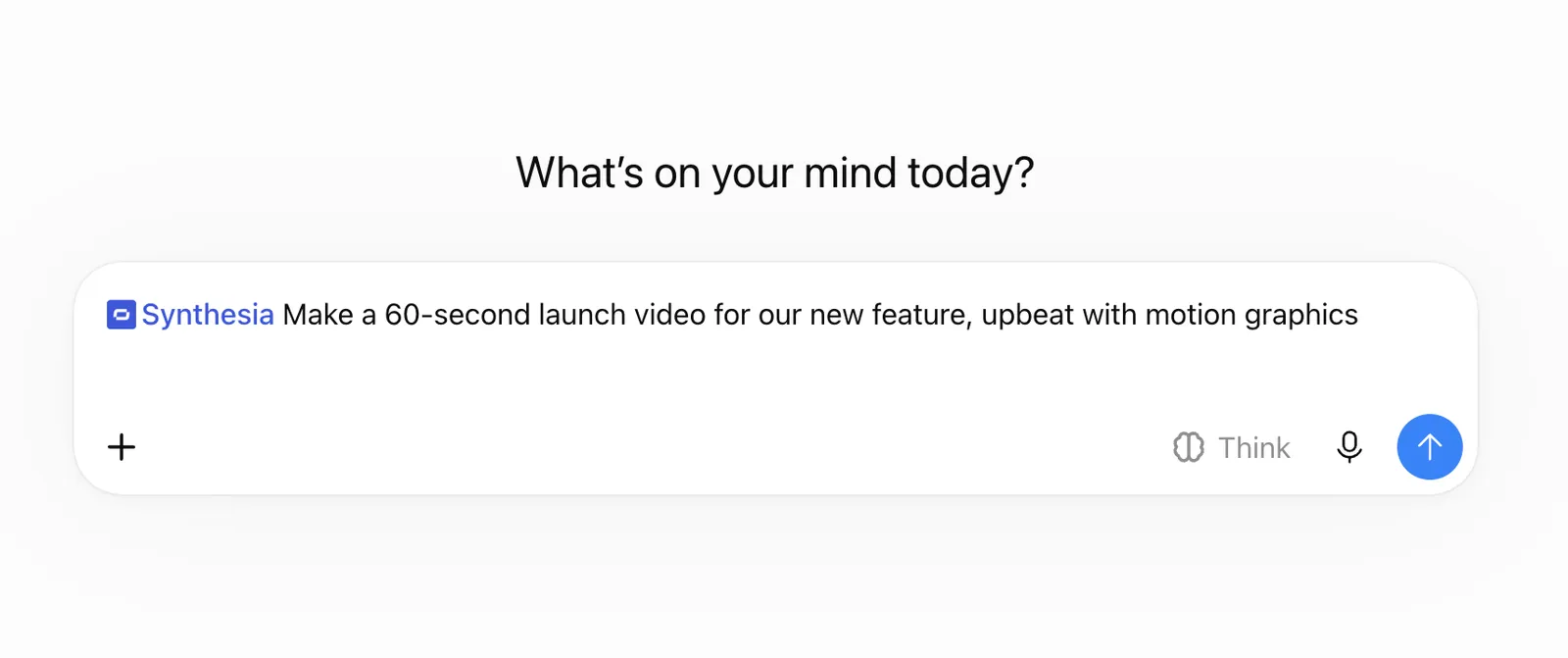
Confirm you can tag Synthesia in a message box, then try a prompt using it.
Connect as a workspace member
Use these steps if you’re joining a workspace where an admin has already enabled Synthesia.
- Open ChatGPT and go to
Settings→Apps(orPlugins). - Find Synthesia and select
Connect. - Sign in to your Synthesia account and review the requested permissions.
- Confirm you can tag Synthesia in a message box, then try a prompt using it.
On ChatGPT Business, Enterprise, or Edu workspaces, admins control whether Synthesia is enabled by default. If Synthesia doesn’t appear or shows Disabled by admin, ask your workspace admin to enable it from Workspace settings → Apps.
Turn on Synthesia in a chat
- Start a new chat.
- Tag Synthesia in the message box.
- Ask for a video. To create a Syren video, include “use Syren” in your prompt.
Next, see Create a video draft or Create and edit a Syren video.
Refresh the plugin
If we update the server’s tool list or descriptions, ChatGPT may keep showing the old list. Ask your workspace admin to refresh the plugin:
- Go to
Settings→Plugins→Synthesia→Actions. - Select
Refresh.